Sprite Press

SpritePress is a tiny desktop tool for making game-ready pixel sprites from 3D models. Drop in a model, tune the look, pick your directions, and press out a PNG spritesheet or animated GIF.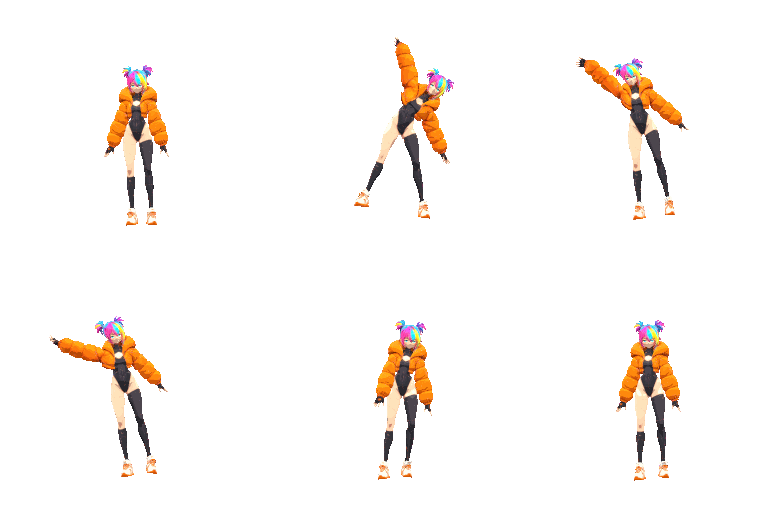
Import `.glb`, `.gltf`, `.fbx`, or `.obj` files and render them through a pixel-art pipeline with toon lighting, palette controls, outlines, dithering, cleanup filters, and animation capture.
Features
- Load 3D models and animations
- Export PNG spritesheets
- Export animated GIFs
- Capture 1, 4, 8, or 16 directions
- Sprite sizes from 32 px up to HD sizes
- Pixel-perfect export scaling: 1x, 2x, 3x, 4x
- Toon shading with adjustable steps
- Screen-space pixel outlines
- Interior depth lines for overlapping forms
- Palette presets: PICO-8, GameBoy, NES, C64
- Auto palettes: 16, 32, or 64 colors
- Palette strength and dithering controls
- Lighting presets and manual light controls
- Live pixel preview pane
- Transparent background export

Why?
SpritePress is for solo devs, prototypers, modders, and pixel artists who want fast animated sprites without hand-drawing every frame from scratch. Also
(Also I am sick of everything being so expensive.)
It is not trying to replace pixel art. It is a press: a way to squeeze a 3D model through a crunchy, editable pixel-art pipeline and get something usable fast.
Basic Workflow
1. Load a 3D model.
2. Choose sprite size and directions.
3. Adjust camera, lighting, shading, palette, and outline.
4. Preview the pixel output.
5. Export a spritesheet or GIF.
Supported Formats
Input:
- GLB
- GLTF
- FBX
- OBJ
Output:
- PNG spritesheet
- GIF animation / turnaround
Status
SpritePress is early but usable. Expect rough edges, but the core loop works: model in, pixel sprites out.
Download
Click download now to get access to the following files: